
Case Study
“I want to animate a person
jumping up and down.”
This seemingly simple request opens a world of complexity for beginner animators. How do the arms move frame by frame? How does weight affect movement?
Our prototype of MotionBuddy was developed to tackle this challenge of making animation more accessible to beginner animators. We developed a plugin that uses AI & motion capture to help animators ideate and create natural motion paths.
Timeline
Sep – Dec 2024
Role
Designer
Team
5 Designers
Key Skills
Figma · Lit Review · UX Research
01 · Context
How it started
MotionBuddy emerged from our Design for Creativity and Productivity course (DSGN 118) at UC San Diego. As a team of 5, we were challenged to identify and solve a significant problem within the research domain of animation. Our assignment required framing a specific design challenge and developing an interactive solution.
02 · Research
Academic literature review
The usage of AI in animation has been centralized on omitting unnecessary actions to achieve quality work in less time.
Animation learning is hampered by the need to understand complex physics principles.
AI assistance is most effective when it handles technical complexity while preserving creative control.
A significant gap exists between professional animation tools and accessible learning tools.
Paper I Presented
Draco: Bringing Life to Illustrations with Kinetic Textures
This analysis provided valuable insights into the challenges faced within animation. My presentation was praised for its clarity and thoroughness.
User Scenario
Imagine you're a marketing professional working on a client presentation. You want to create a simple animation of a person jumping excitedly. You've drawn the first frame — but now you're stuck.
How should the body move next for the whole motion to look natural? This scenario revealed significant complexity for beginner users.
Users Need
Ways to visualize motion before committing to keyframes
Reference for how physical properties affect movement
Simplified workflows that preserve creative control
03 · The Problem
Three major barriers
for beginner animators
Time Consumption
Creative fluid animation requires extensive time dedicated to each keyframe — often hours for seconds of animation.
Detail Complexity
Each animation requires breaking down model parts individually per keyframe, creating a workflow beginners struggle to master.
Knowledge Requirements
Animation demands a vast understanding of physics and movement principles to make motion look realistic.
Design Challenge
How might we assist beginner animators in translating their vision into motion when they lack knowledge of the physical parameters necessary to create realistic keyframe sequences?
04 · The Solution
MotionBuddy
A plugin that integrates into existing animation interfaces like Blender. When a user is stuck on how to proceed keyframing, MotionBuddy breaks the workflow into two steps: generating example motion clips, then transferring that motion onto the user's model.
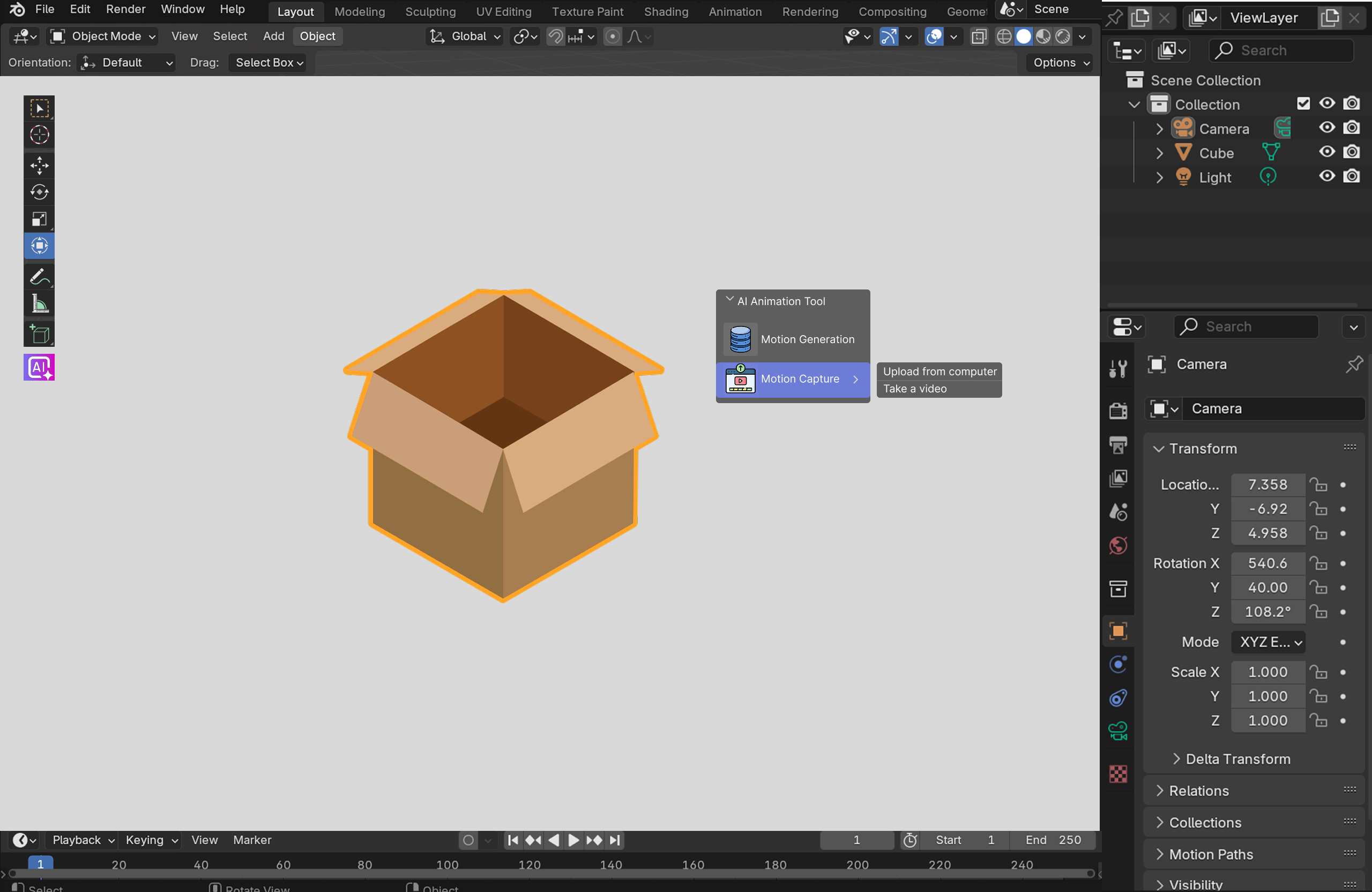
Step One
How do we get motion examples?
Users often have an idea of the overall motion they want to animate. This manifests in two ways:
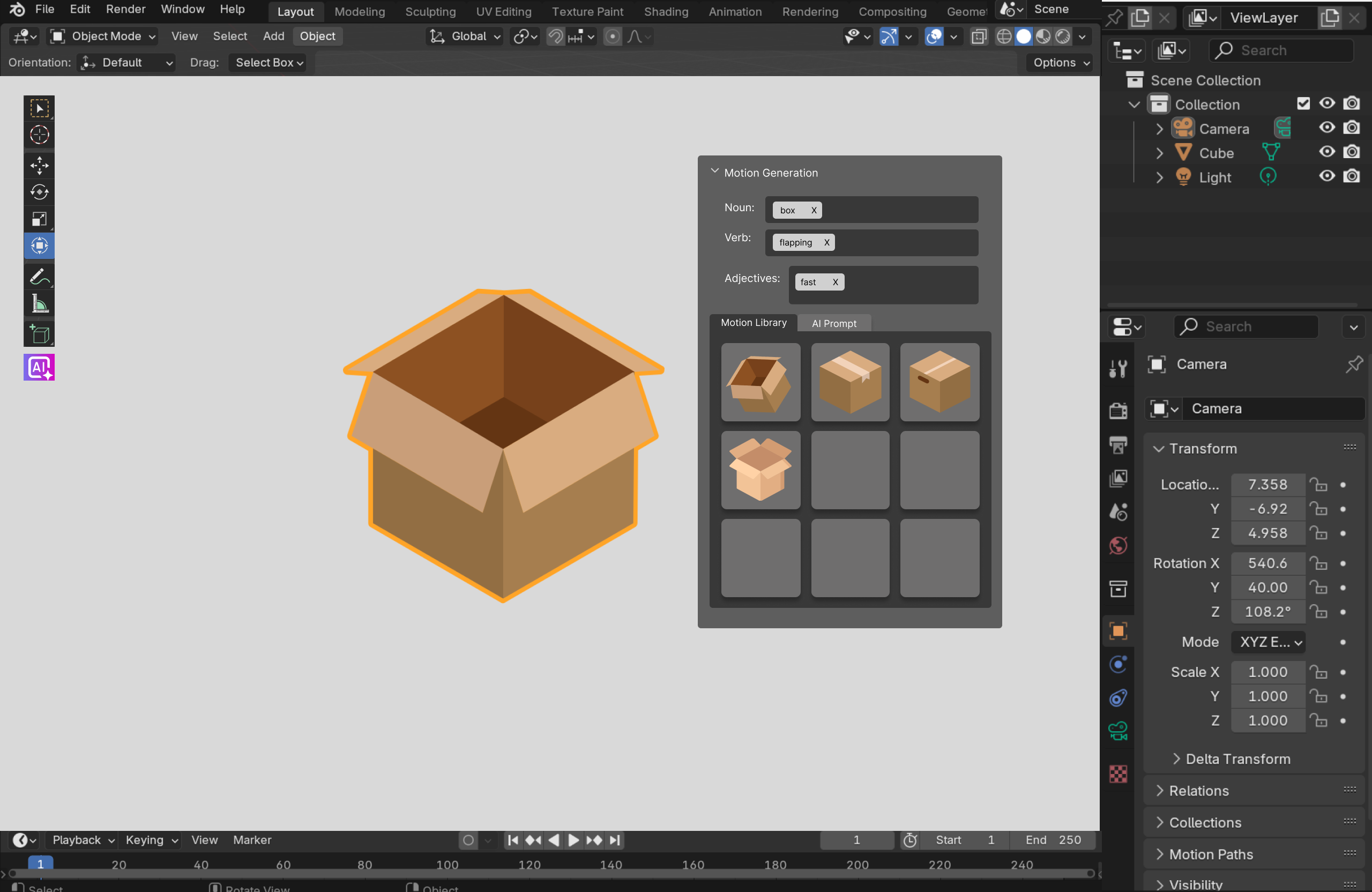
Natural Language
By describing the kind of motion using verbs and descriptors, example clips are pulled from a library or generated with AI.
Once the model is selected, users can search for example clips from a database using descriptors in the Motion Generation widget.
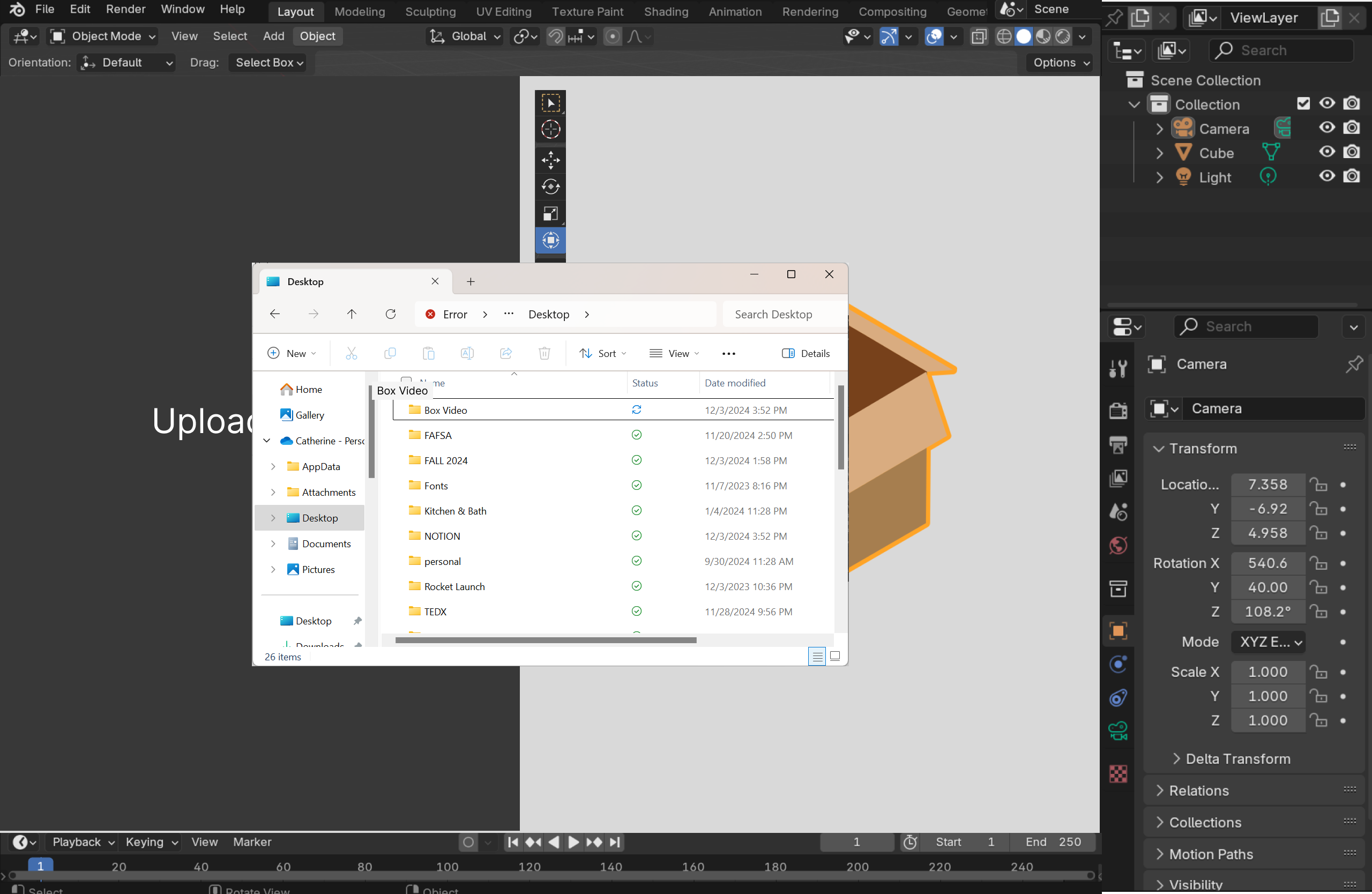
Real Life Motion
If users have a visual mental model of their motion, they can capture it by taking a video of an object with a similar motion path and upload it.
The user can alternatively choose to upload their own video of an object with a motion path similar to the path they desire for their own model.
Step Two
How do we transfer the motion?
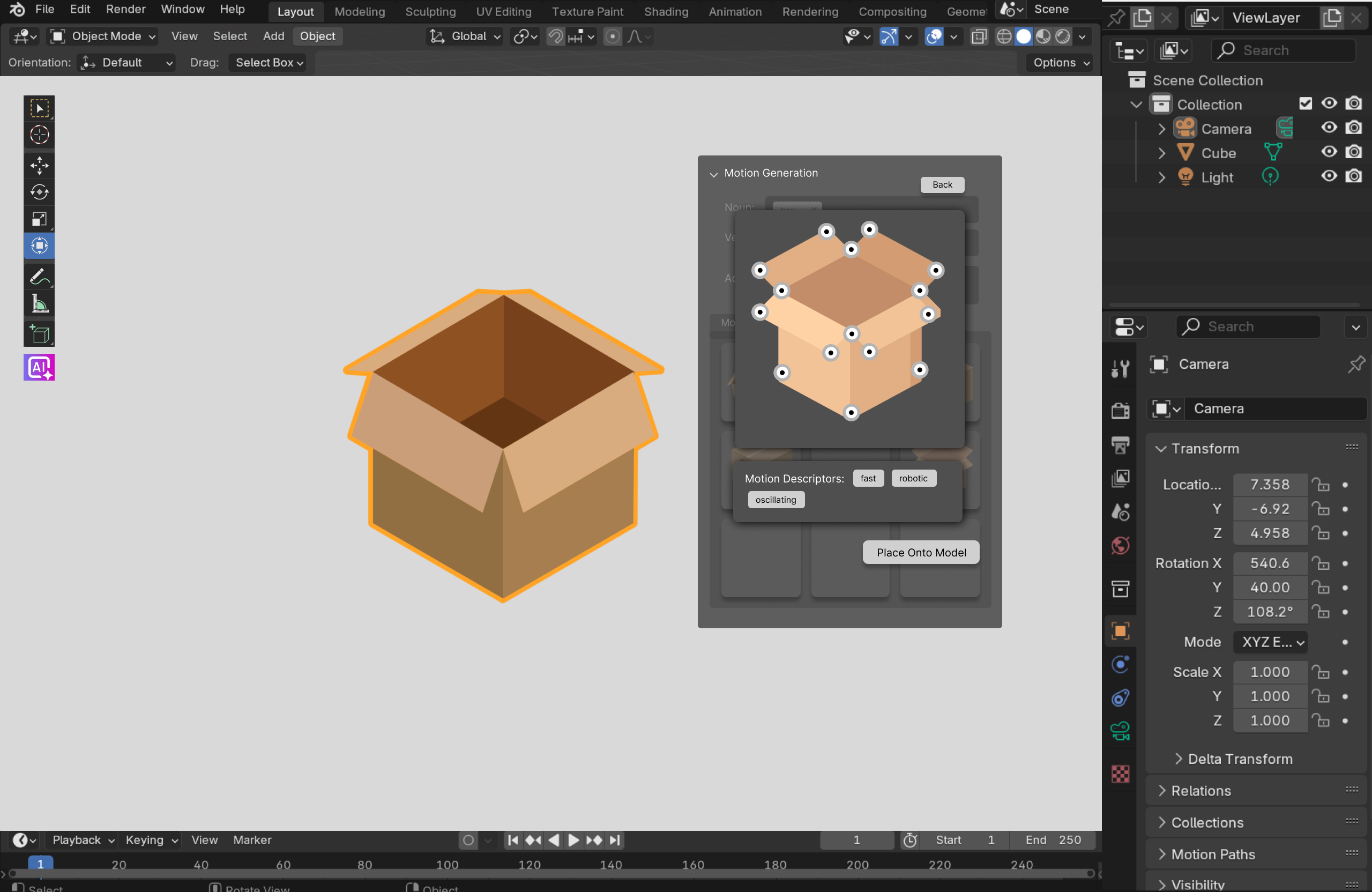
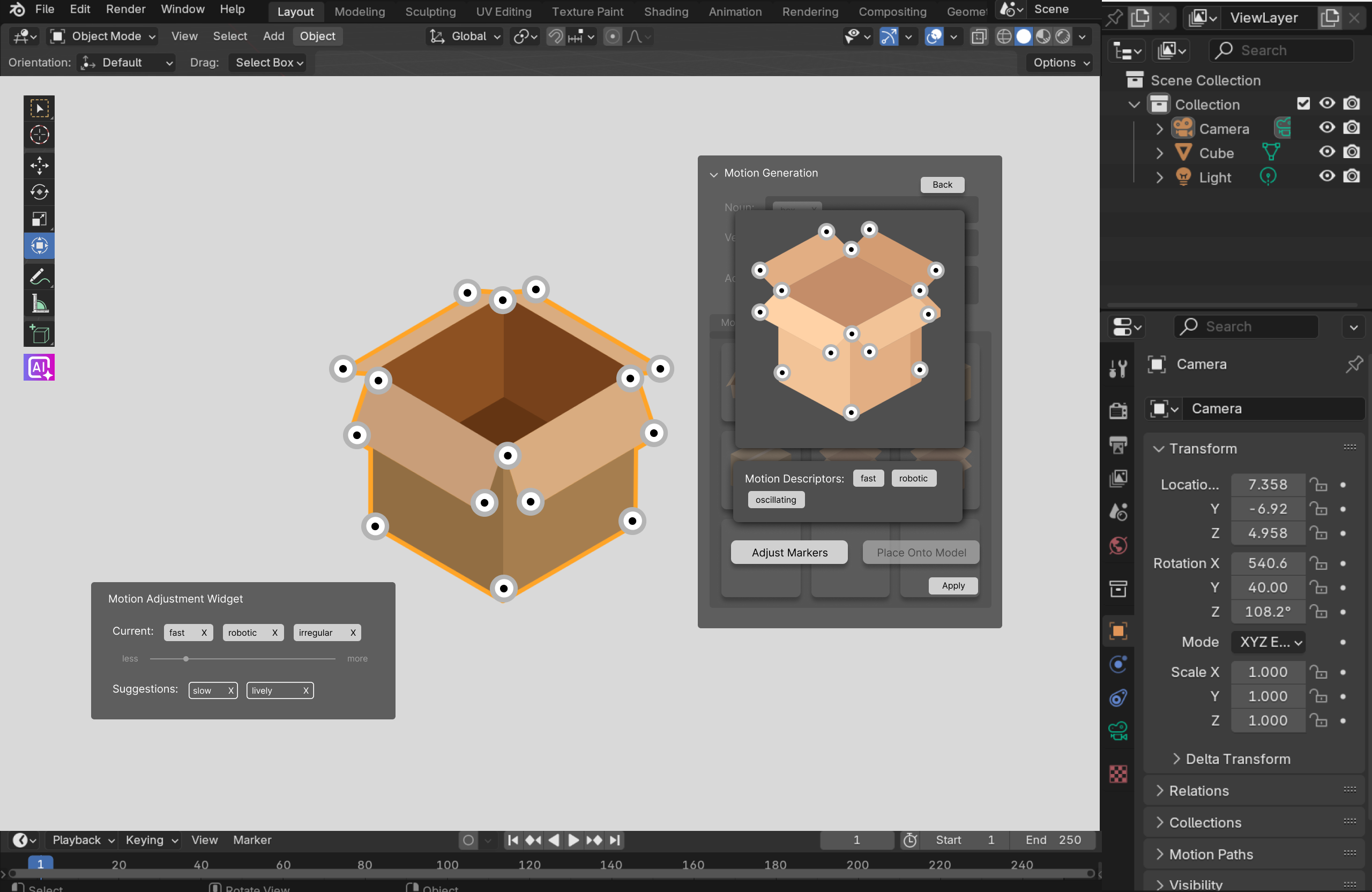
Once a satisfactory motion reference is found, the next step is to transfer the motion from the example to the model being animated. Similarly to motion capture workflows, deep learning models identify critical joints in the example clip's subject, forming a skeleton of keypoints representing the key motion path.
These keypoints containing the core movements are then transferred from the example clip onto the model, using neural networks to maintain the feel of the original motion while ensuring that it follows physical rules.
View keypoints
AI marks critical joints and core motion path detected in the reference clip.
Place onto model
Keypoints from the example are transferred onto your model's skeleton, then fine-tuned to match the model and personalize the motion.
Additional Feature
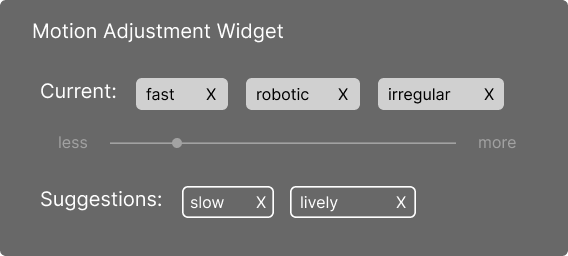
Fine-tuning with the Motion Adjustment Widget
The motion adjustment widget allows the users to play with different descriptors that change the characteristics of the movement. They can further fine tune this by adjusting the intensity that a specific descriptor has on the motion.
05 · Future Directions
What comes next
User Testing Plan
Our next phase would involve testing our prototyped interface with beginner animators. This would allow us to ensure our interface is accessible for our target audience and to make refinements based on user feedback.
Technical Development
Next phases would also include the exploration and optimization of specific pose estimation algorithms that are able to recognize and extract movements.
Feature Expansion
Physical parameter adjustments based on context and environment (gravity, weight, resistance, etc.) and tools to create a smooth blend/transition between generated movements and already animated movements.
Takeaways
Articulating one's vision
This project highlighted the critical nature of clear communication in collaborative design. Our team engaged in passionate discussions where translating abstract creative vision into actionable concepts proved challenging. By developing structured ways to present ideas, I was able to bridge communication gaps to form a cohesive design direction.
Balancing AI with creative agency
This project was the first time I had fully grappled with a fundamental design tension: how much should AI automate and when should it step back? Automating the entire keyframing process would rob users of learning experiences and artistic expression. Our solution serves as a system where AI serves as an intelligent collaborator rather than a replacement.
“This project highlighted the potential for AI to transform creative fields by addressing specific technical barriers while preserving creative vision.”